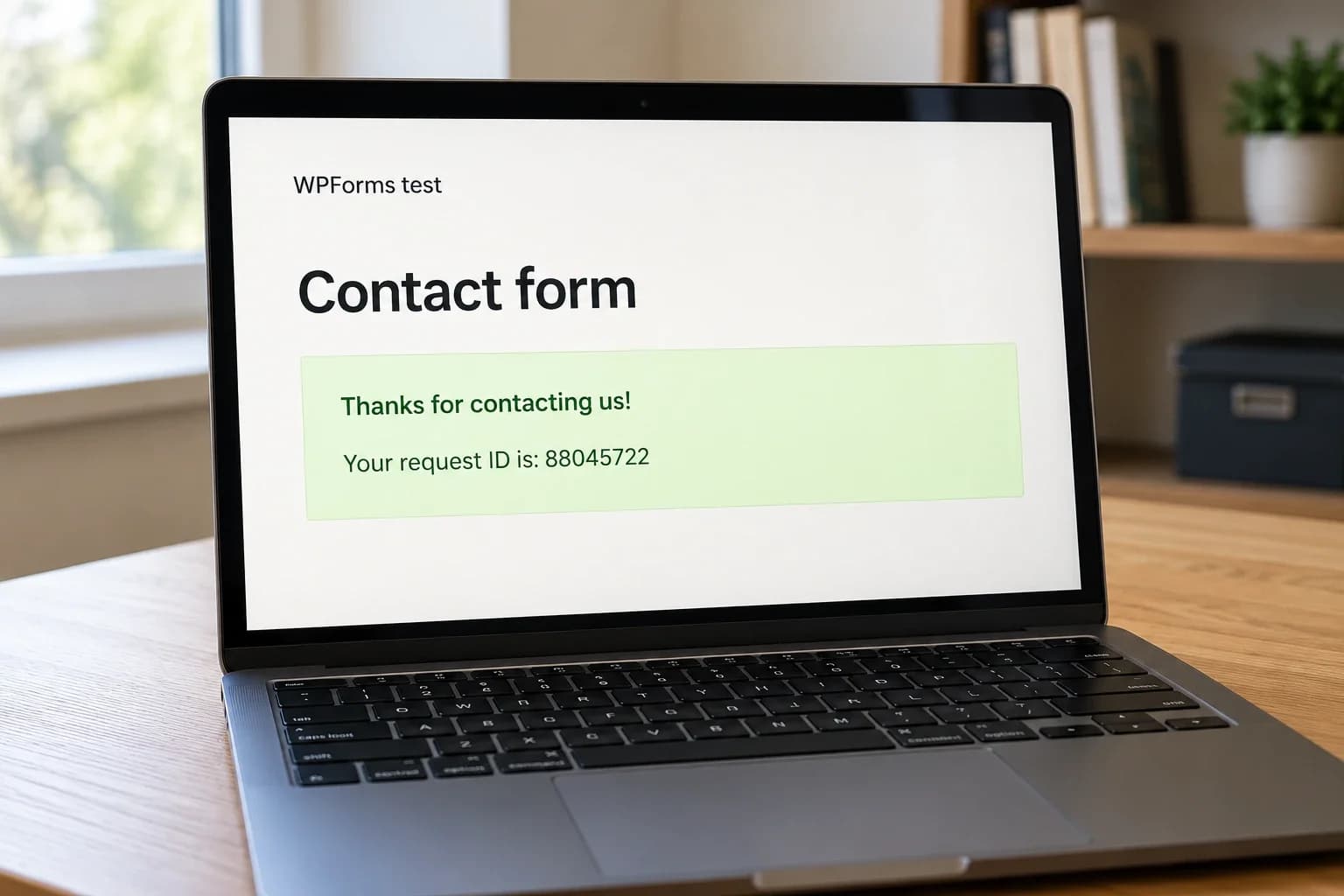
In a WPForms customization project, I needed to generate an eight-digit reference number and insert it into a hidden field before submission, using a PHP filter without JavaScript.
I used the wpforms_process_filter hook to update the hidden field programmatically.
How the filter works
The “wpforms_process_filter” hook in the WPForms plugin allows you to modify the form data before it is submitted. You can use this hook to change the value of a specific field before the form is processed.
This filter includes three parameters:
$fields: sanitized entry field values and properties.$entry: the original$_POSTdata.$form_data: the form settings and data.
Add a request ID to the form
Start with a contact form and add a hidden field named “Request ID”.
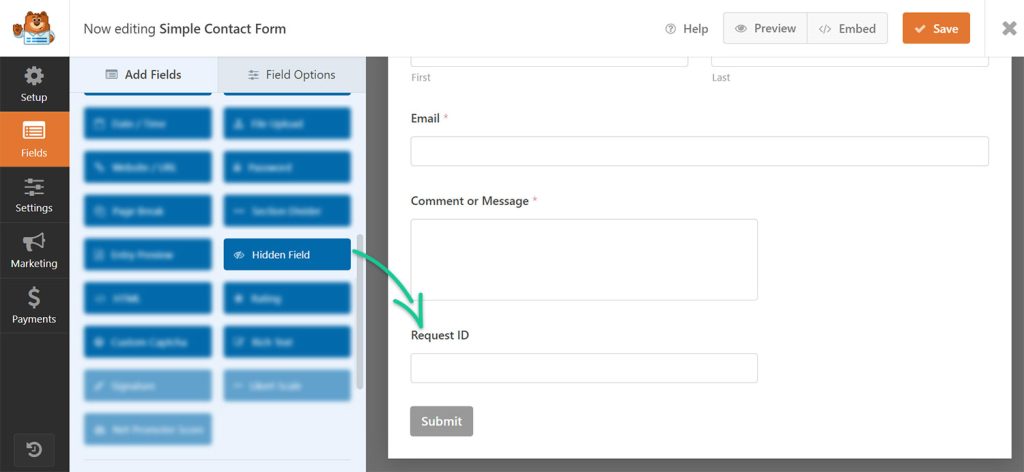
Insert Hidden Field on WPForms
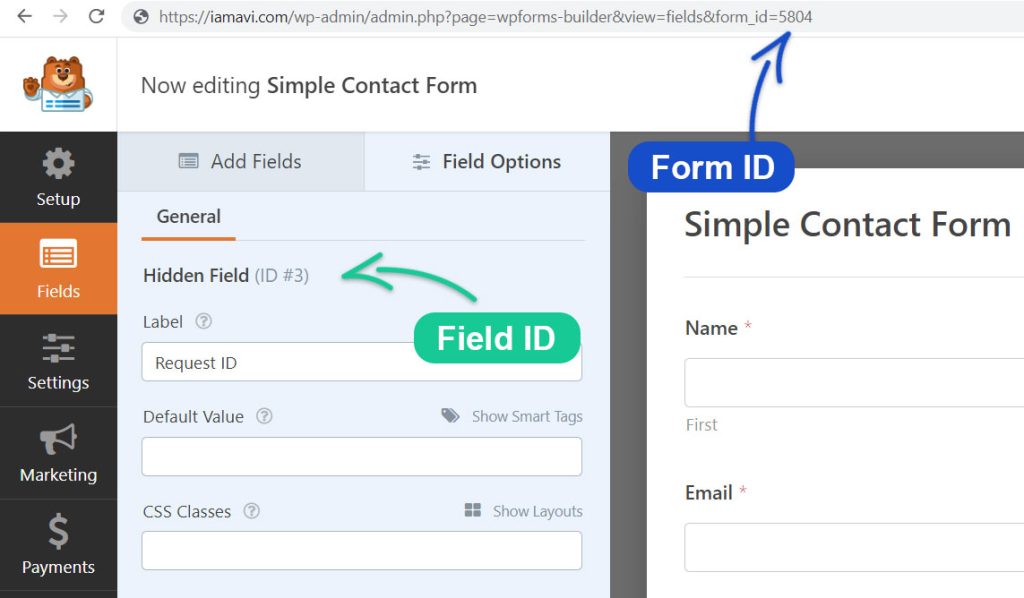
Note down the field ID and form ID
Use the form ID and field ID to target the correct form, so the filter only changes the intended field.
Add the following code to your custom site plugin or child theme’s functions.php file. Replace the example form ID and field ID with your own, and test the change in staging first.
/**
 * Update field value before submission in WPForms
 *
 * @link  https://iamavi.com/update-field-value-before-submission-in-wpforms/
 *
 * @param  array  $fields     Sanitized entry field values/properties.
 * @param  array  $entry      Original $_POST global.
 * @param  array  $form_data  Form data and settings.
 *
 * @return array
 */

function av_wpforms_process_filter( $fields, $entry, $form_data ) {
    //  Validate the form ID
	if($form_data['id'] != 5804){
        return $fields;
    }

    // Generate 8 digit random number
    $request_id = rand(10000000,99999999);

    // Update the hidden field value
    $fields[3]['value'] = $request_id;

    return $fields;
}
add_filter( 'wpforms_process_filter', 'av_wpforms_process_filter', 10, 3 );
Update the confirmation message to include the generated Request ID. It will then appear after the form is submitted.
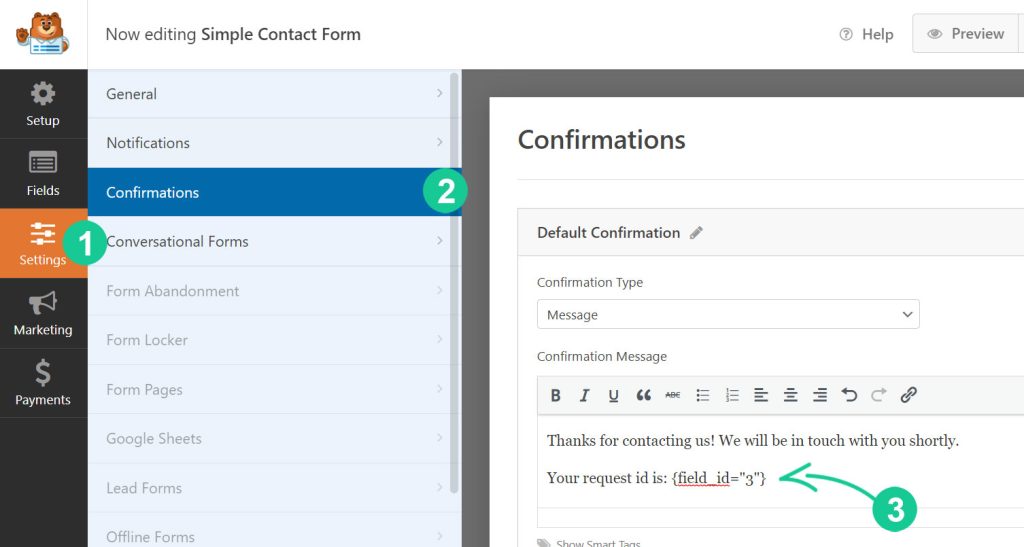
Modify the WPForms confirmation message
Submit a test entry and check the confirmation message.
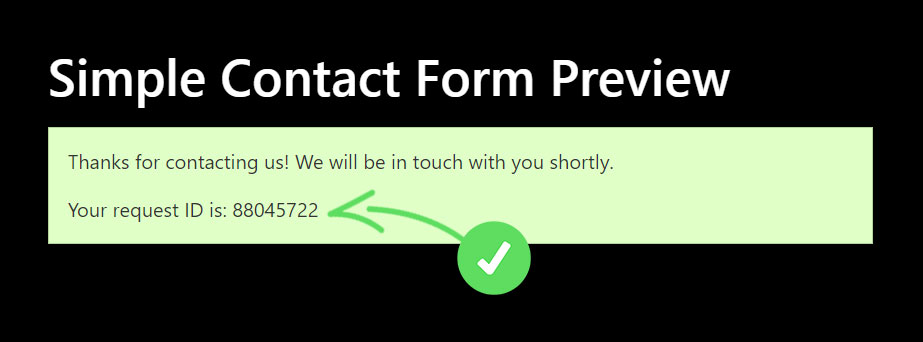
Check that the generated reference appears in the confirmation message.
The hidden field now receives its value on the server before the form is processed.
Need Help With WPForms Customization?
If you need an experienced WordPress developer to assist you with customizing your forms using the plugin WPForms, you can reach out to me directly.
A note on request IDs
This original example generates a random eight-digit reference. Random values can collide, so this is not a guarantee of uniqueness. If the ID is used for orders or other critical records, enforce uniqueness in your storage layer or use an appropriate unique identifier. Test custom code in staging before deploying it.
Last updated Oct 25, 2026